Coming soon
Your sky. Your people.
Nearby aircraft and the journeys your people share.
Together, on one calm home display.
An integrated flight display.
Illustrative flights and people. No live positions.
Journey timers describe a saved plan, not actual departure or arrival.
Made for a glance.
Designed to feel closer.
Far away. Part of your day.
Your world is getting bigger,
Theirs feels a little closer.
From a first flying lesson to the next holiday, share your journey with the people who are part of it.

And in the sky around you
Look up.
There’s a story overhead.
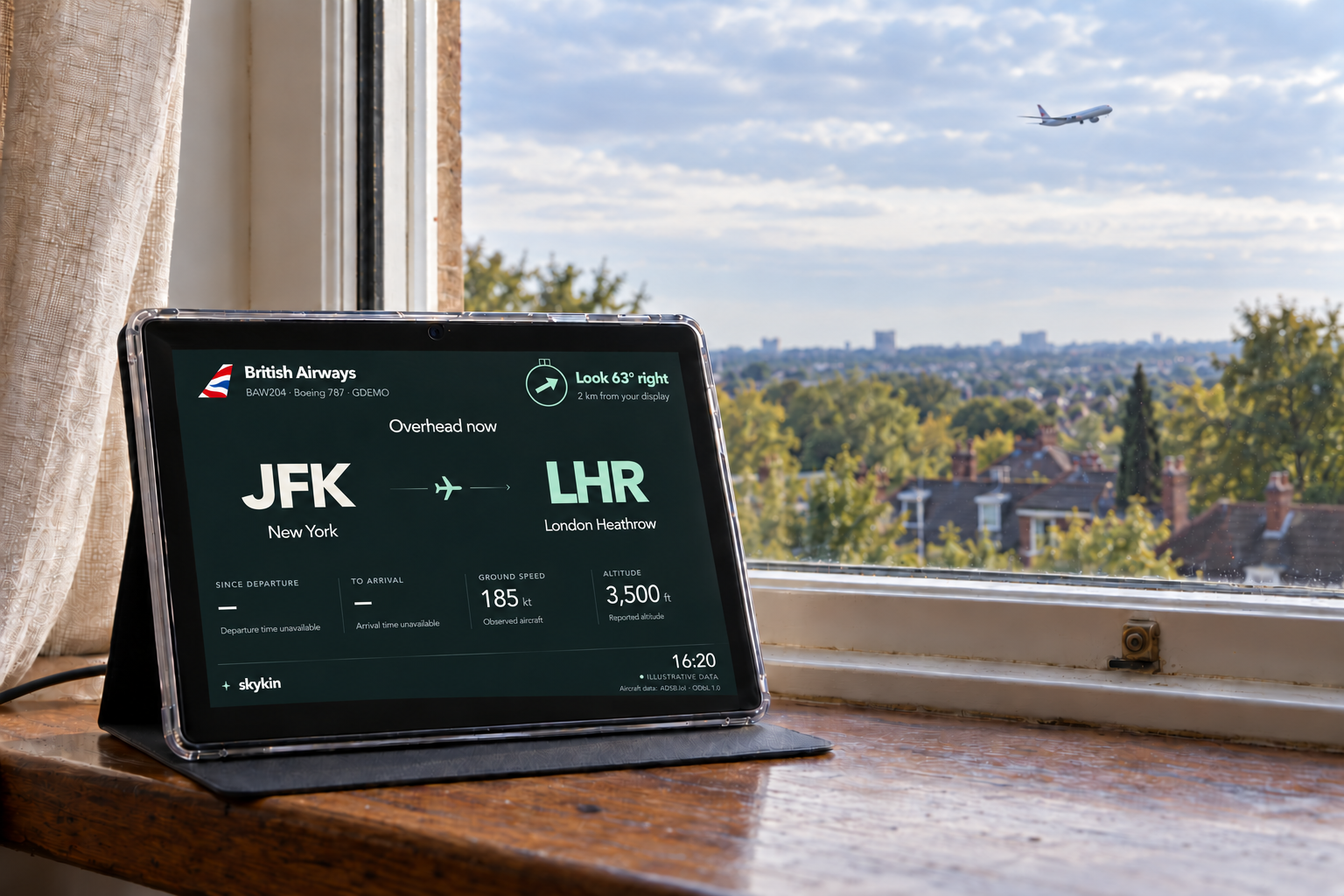
Meet the aircraft outside your window. A clear route, an airline tail, and an arrow to help you find it in the sky.
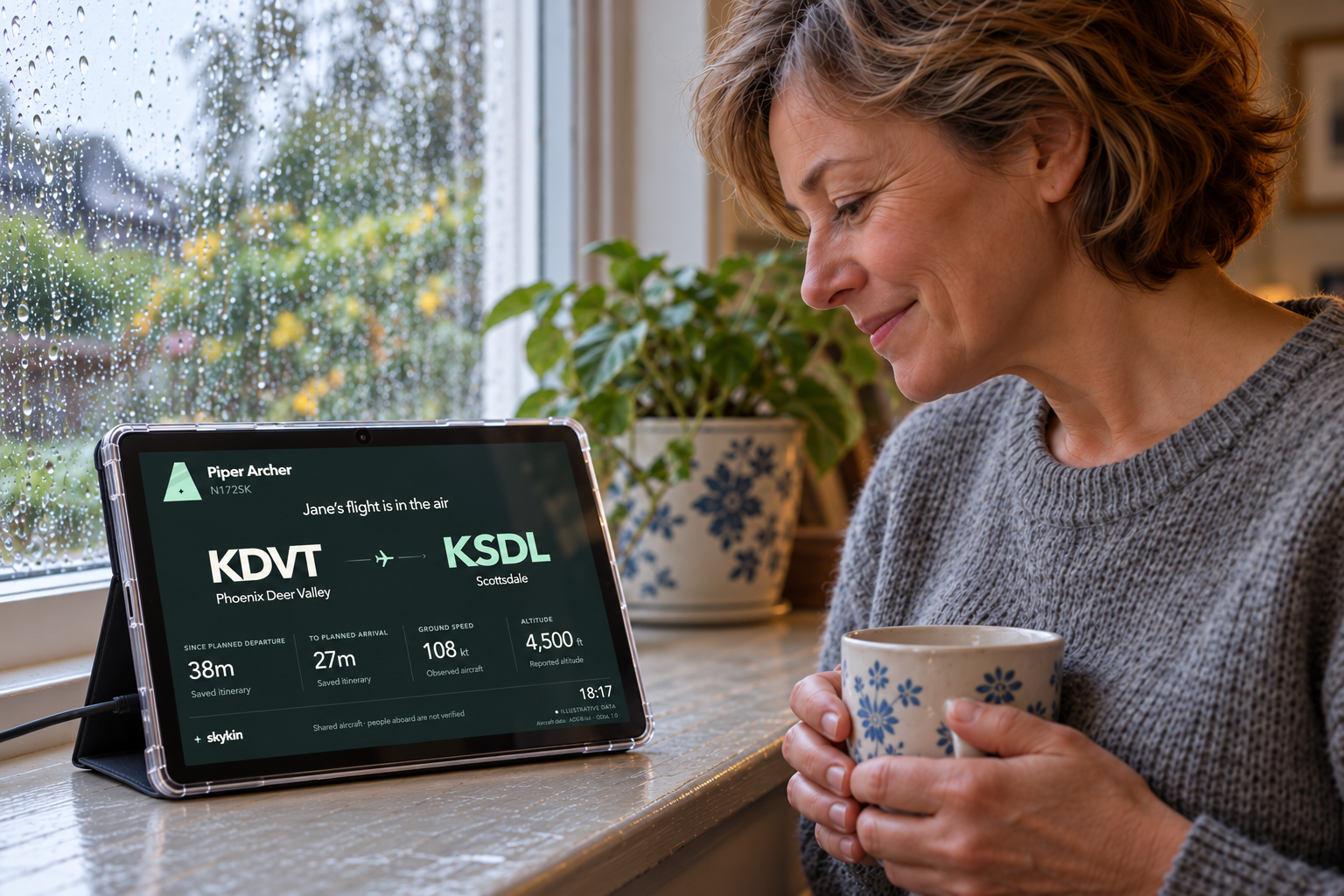
Try the display examplesGenerated campaign imagery. Jane, her family and the flight data are illustrative; the display is a product visualisation.
The familiar, in flight
A whole world.
Your little circle.
Some flights catch your eye. Others have someone you love on board. Skykin makes room for both.
Their plans, shared with you.
A friend adds their holiday flight. You connect in Skykin. Their shared journey can join your display without everyone entering the same flight again.
Follow the next chapter.
A pilot shares upcoming flying plans with their followers. From a training lesson in Arizona to a later airline roster, the connection carries across the journeys they choose to share.

Less noise. More sky.
Everything you need.
Room to breathe.
Clear enough to read across a room. Interesting enough to stop and look.

Illustrative display detail
A journey at a glance
Airline tail, departure and destination, ground speed and reported altitude. Unknown information stays unknown.
The sky around your home
Confirm your display’s location, then draw the direction you look through the window. The arrow guides you left, right or ahead toward nearby aircraft when a fresh position is available.
Your people, in the rotation
Nearby aircraft and saved or shared flights take turns. A quiet screen becomes a window into both your neighbourhood and your network.
A plan with honest timing
Elapsed and remaining times are labelled as planned when they come from an itinerary. They are not a live arrival prediction.
A simple place to start
A home for
your sky.
The intended finished product is an integrated display you connect to Wi-Fi and personalise through your Skykin account.
Coming soon. We’re refining the hardware and first-run setup before orders open.
- 01
Connect your display
Power it on, connect to your home Wi-Fi and link it to your account.
- 02
Make it yours
Set the display’s home location, nearby radius and preferred units in the companion app.
- 03
Bring your people along
Save a journey, connect with family and friends, or follow a pilot’s shared flying plans.
Connection, with a choice
Sharing starts
with the person flying.
Choose which plans to share and who can follow them. Approve connections, share with your network or selected people, and keep other flights private. Set each display’s location to choose its nearby sky.
A few things to know
Before you
look up.
Skykin is a product in development. Here’s what that means for the preview and the experience.
Is this showing real flights right now?
No. Every flight and person on this website is an illustrative example. The existing private companion preview is linked separately and requires sign-in. Aircraft positions depend on data coverage and availability, and some routes or identifiers may be missing.
Can I follow a friend’s holiday flight?
That is one of Skykin’s core uses: connect with someone who chooses to share a flight plan, or save a flight yourself. The display follows the associated aircraft journey when a matching position is available; it cannot confirm a person’s boarding or arrival.
How does following a pilot work?
Pilots can add upcoming flying plans and share them with their followers. A shared aircraft registration can support training flights, while flight identifiers support airline journeys. A pilot decides which plans to share.
Where do I manage my display and account?
The companion service stays on marty0.com, where existing preview accounts manage display settings, connections and shared flights. The current companion preview is private and requires sign-in. Customer setup will open with the product.
Does the pointer show which way the plane is flying?
After you set the window view, the arrow points towards the reported aircraft position relative to that view. You can reset it whenever you move the display. It appears for fresh aircraft within the chosen nearby radius and indicates horizontal direction.
Are the arrival and departure timers live?
Timers based on a saved itinerary are explicitly labelled “planned”. They do not establish an actual takeoff time, landing time or live estimated arrival. Speed and altitude come from the aircraft position record when available.
Can I buy the integrated display?
It is not on sale yet. Hardware selection, qualification and customer setup are still being developed. Pricing, availability and any subscription options will be confirmed before orders open.
Do I need to download a mobile app?
The current private companion preview is a web app for existing preview accounts. Final customer setup and any download options will be confirmed before launch.
Look up. Feel closer.
Coming soon.
A little closer.
Skykin is taking shape. Explore the display. Existing preview users can also open the private companion service. Pricing and availability will be announced before orders open.
Private companion preview Back to the display